Member app
iOS · Android
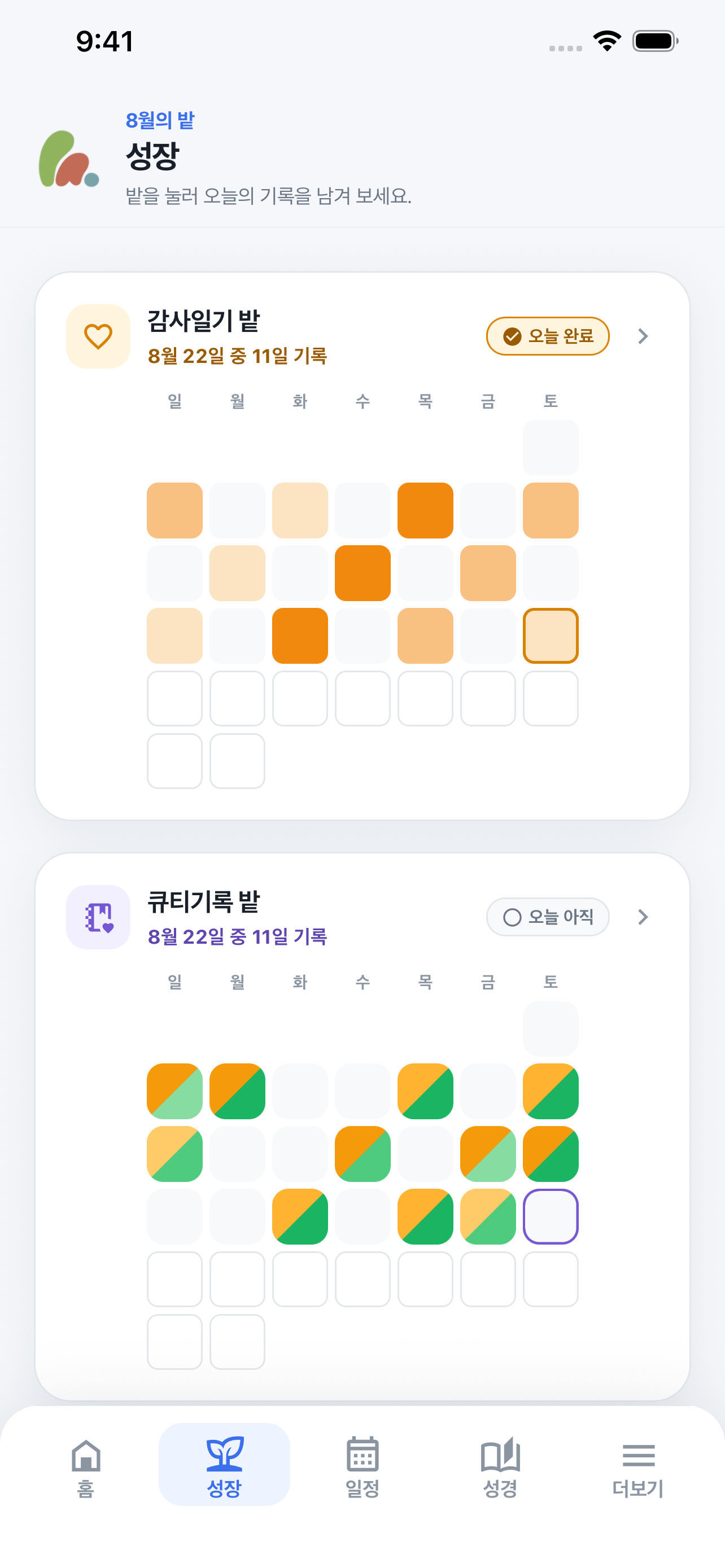
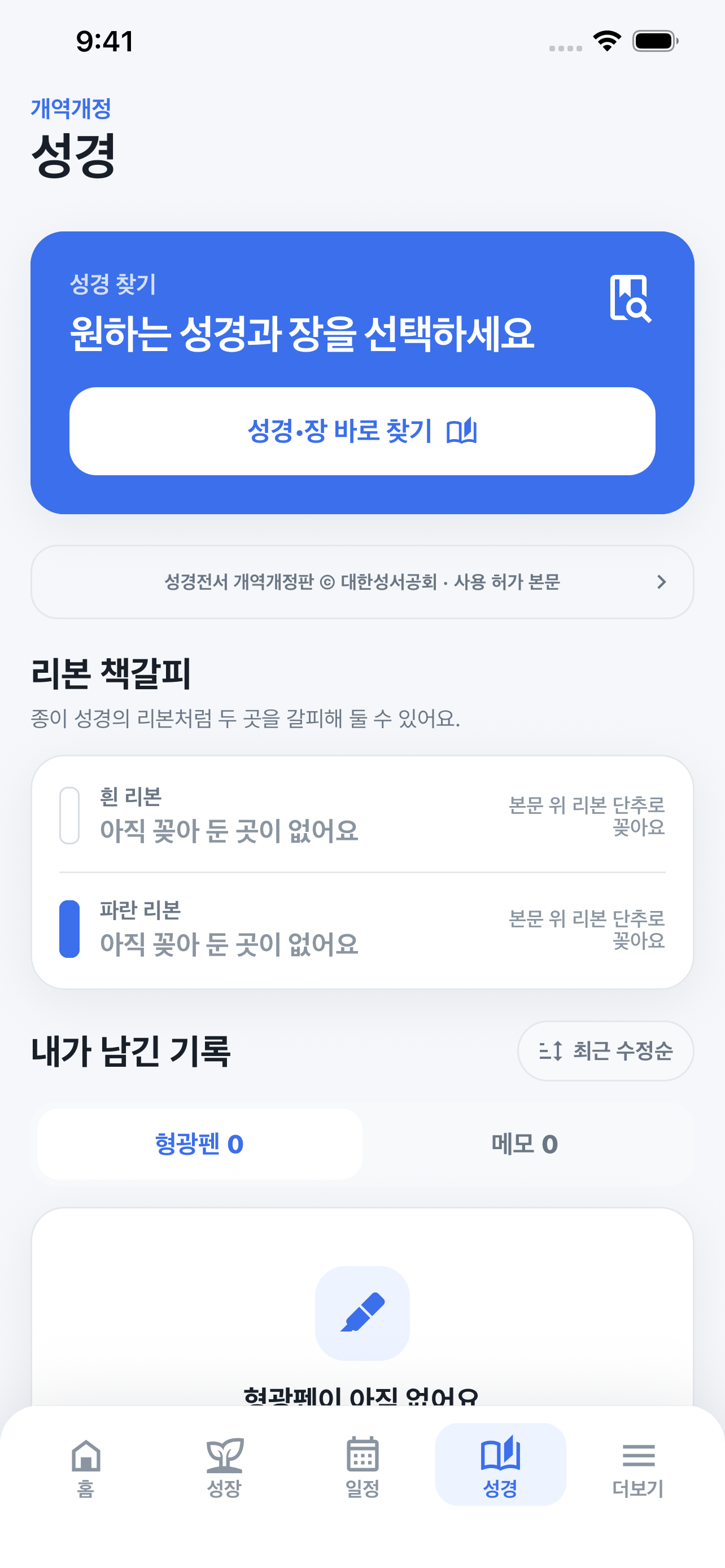
Announcements, schedules, reservations, attendance, prayer requests, and QT and Bible reading for every member. Released to both stores from one Expo codebase.
TypeScript · React Native · Expo
Member app · iOS & Android
A place for community, reflection, and the next small step.
A church youth-group service bringing attendance, announcements, schedules, room reservations, prayer requests, personal reflection, and Bible reading into one place. I released the member app on iOS and Android and built and run the shared backend used by the admin web and admin app.
Room bookings lived on a shared Naver calendar and communication in a KakaoTalk open chat, so information was scattered. UP-Dream brings announcements, schedules, reservations, attendance, and prayer requests into one service, with sign-up gated by roster verification and administrator approval.
Counted across 48 Sunday youth services, 1 December 2025 to 3 November 2026.
People are counted once each; pastors and test accounts are excluded. Sign-up means required details entered and terms accepted. Attendance comes from records saved in the app, and unrecorded weeks are not counted as absences.
Management work is split by situation between the web and a native app, and every permission decision is made in one place: the server.
iOS · Android
Announcements, schedules, reservations, attendance, prayer requests, and QT and Bible reading for every member. Released to both stores from one Expo codebase.
TypeScript · React Native · Expo
Browser
Heavier desk work: sign-up approvals, member records, and account merges. Uses two-step verification.
TypeScript · React
iPhone · iPad
Quick on-site work such as Sunday attendance. Face ID or Touch ID on entry, showing only the actions the server allows.
Swift · SwiftUI
AWS ECS Fargate
Sessions, permissions, and business rules for all three clients in one place. Attendance changes are saved in transactions.
TypeScript · PostgreSQL · S3
I also run the service website, its terms, privacy and child-safety policies, the in-app account-deletion flow, and the copyright permission for the Bible text.
Service websitePublic demo
Explore the app’s main screens with a public demo account.
You can also select and copy the text directly from either field.
This demo uses shared sample data. Other visitors may change it, and changes may remain. Please do not enter personal information or private prayer requests.
Development and review captures with synthetic demo data. Dates are shown below; later App Store builds may look different.
Screenshot provenanceEngineering details reflect source reviewed on September 17, 2026. App Store releases may contain an earlier subset.
The member app, admin web, and admin app share one backend. Database records and licensed Bible text have separate storage and access boundaries.
Startup distinguishes temporary connection failures from invalid credentials. Refreshes can retain the last useful screen, while account or permission changes discard old data and invalidate delayed responses.
Attendance writes use an expected version to detect conflicting edits. The server rechecks authority after acquiring a workflow lock, and commits the record, revision, and audit history together.
Realtime messages signal that something changed. Clients fetch the actual records again through the API so current permissions apply. Coalescing and short jitter windows limit redundant requests.
UP-Dream
I used Claude Code and Codex for scoped frontend work and integration. In the general-member faith-garden update, Claude Code prepared the initial growth and mission-screen changes; Codex handled the home screen, shared theme, calendar and reading-flow refinements, and integration checks.
ImageGen supplied static garden and mission-letter illustrations. Text, buttons, record indicators, and interactions remain native React Native elements. The screenshots here show the earlier interface for young-adult members. I define the product requirements and release scope.
I handled the copyright review and the work to secure permission for the Korean 개역개정 translation used in UP-Dream. The project checklist records permission confirmation. Copyright remains with the Korean Bible Society, and the supporting documents are retained privately.
The reader provides all 66 books to approved members. The full text stays outside the app bundle and public repository, is delivered from private AWS S3 through an authenticated API, and is checked for integrity. The app displays copyright notices and uses an account-specific temporary cache that is cleared on logout and account changes.
Technical overviewThe technical overview documents source boundaries, design trade-offs, and dated test results, including session recovery, cache isolation, concurrent writes, and a fix for a crash during Android’s first layout.